
How to Fix Low FPS in Fortnite on GTX 1650 (Real Settings That Work in 2026)
Struggling with low FPS in Fortnite on a GTX 1650? These tested settings and fixes can dramatically improve performance.
GAMING GUIDES
Guilherme A. - MundialGame
4/27/20261 min read
Low FPS in Fortnite on GTX 1650? You’re Not Alone
The GTX 1650 is still one of the most common GPUs used by budget gamers.
But in 2026, Fortnite has become more demanding — and many players are struggling with:
FPS drops
Stuttering
Input delay
The good news?
👉 You can fix most of this without upgrading your PC.
Why Fortnite Feels Worse on GTX 1650 Now
Fortnite has evolved a lot:
Unreal Engine updates
More detailed maps
Heavier effects and lighting
👉 All of this puts more pressure on older GPUs like the 1650.
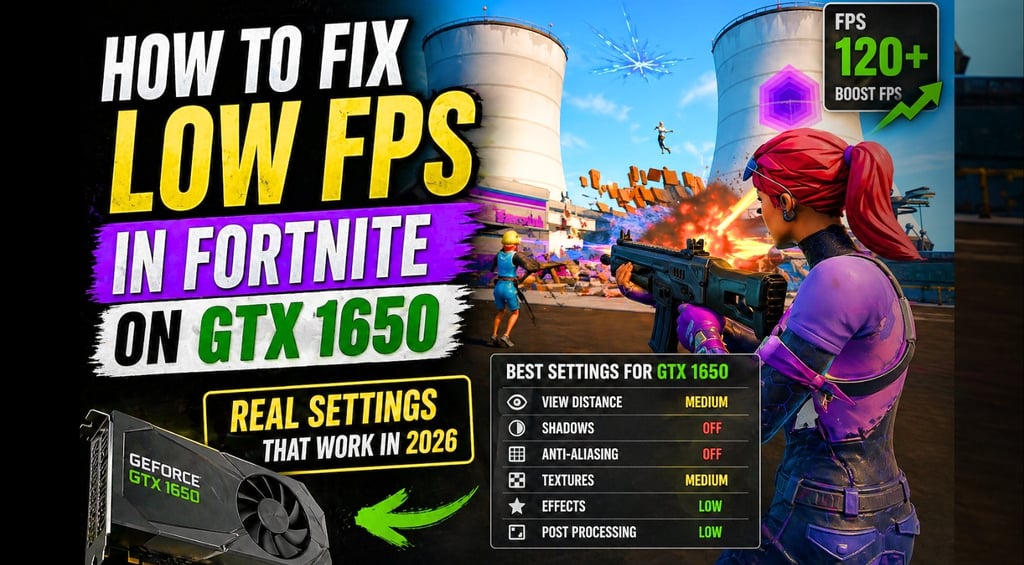
Best Graphics Settings for GTX 1650 (Tested Setup)
If you want smooth gameplay, start here:
Recommended Settings
Rendering Mode: Performance Mode
Resolution: 1920x1080 (or 1600x900 for more FPS)
Frame Rate Limit: Unlimited or 120 FPS
Shadows: Off
Anti-Aliasing: Low
Textures: Medium
Effects: Low
View Distance: Medium
👉 These settings give the best balance between visibility and FPS.
Performance Mode Is Mandatory (Seriously)
If you're not using Performance Mode:
👉 You’re losing a LOT of FPS
It reduces:
Lighting complexity
Texture load
GPU usage
And makes the game much smoother on low-end hardware.
Optimize NVIDIA Settings (Quick Boost)
Open NVIDIA Control Panel and:
Set Power Management Mode → Prefer Maximum Performance
Low Latency Mode → On
Texture Filtering Quality → High Performance
👉 Small changes, noticeable improvement.
Fix Stuttering and Frame Drops
If your FPS is unstable, check this:
✔ Close background apps
Chrome, Discord overlays, launchers
✔ Update drivers
Always use the latest version
✔ Use SSD
Running Fortnite on HDD causes stutter
✔ Check temperatures
Overheating = performance drops
Realistic FPS Expectation (GTX 1650)
With the settings above:
60–100 FPS (Performance Mode)
45–70 FPS (DX11 / DX12)
👉 That’s fully playable and competitive.
Final Thoughts
The GTX 1650 is not outdated — but you need to optimize it properly.
If you:
Use Performance Mode
Adjust settings smartly
Clean background processes
👉 Fortnite becomes smooth again.
Sources
MUNDIALGAME
Practical gaming guides, honest reviews, and budget-friendly advice for PC, PS5, Xbox, Nintendo Switch, and Steam Deck player
Contact
Newsletter
contact@mundialgame.com
© 2026. All rights reserved.